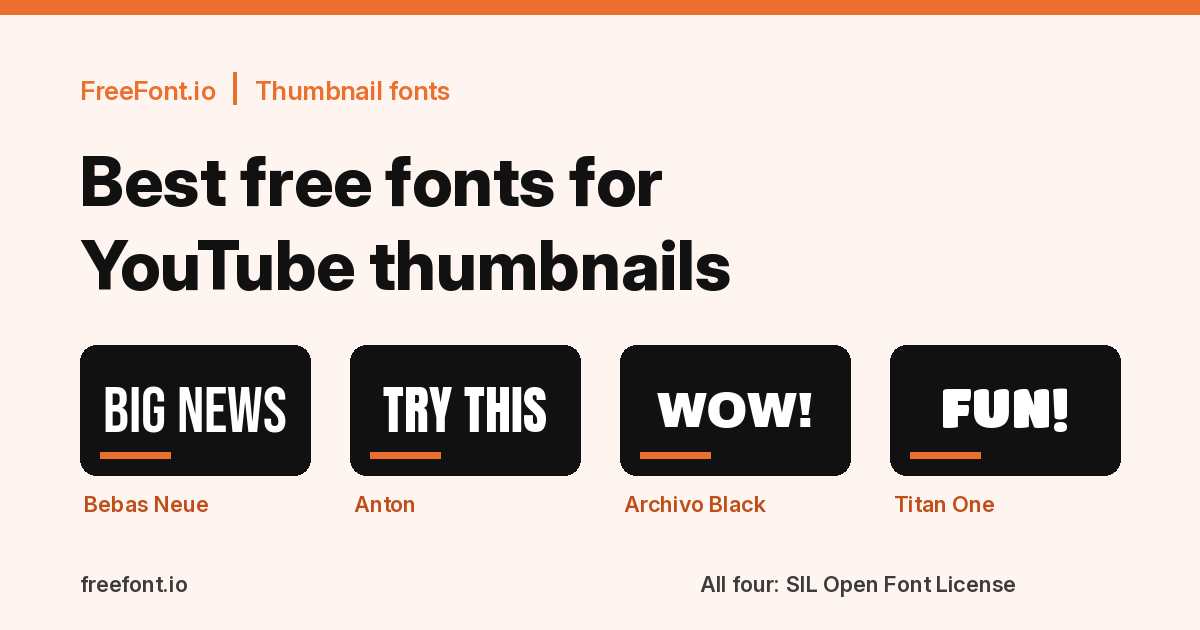
The best YouTube thumbnail font is a bold, heavy font that stays readable when the thumbnail is shown small. Free picks that work well are Bebas Neue, Anton, Oswald, Archivo Black and Titan One. All of them are released under the SIL Open Font License, so you can use them on a channel that earns money. Display fonts marked personal use only can look great too, but a monetised or business channel needs a licence from the designer first.
Below you will find free thumbnail fonts grouped by licence, tips for making text readable, and YouTube’s own size rules for custom thumbnails.
What makes a good YouTube thumbnail font?
Most people see your thumbnail as a small image in a list or on a phone, next to a lot of other videos. The text has a second or two to get read. A good thumbnail font has:
- Thick strokes. Thin lines break up and disappear when the image is scaled down.
- Simple letter shapes. Plain sans serif letters read faster than scripts or detailed display styles.
- A narrow or compact build. Condensed fonts fit big words into the space next to a face or a product shot.
- A licence that covers your channel. If the channel is monetised, promotes a business or is made for a client, treat the thumbnail as commercial use.
Which free fonts can you use on a monetised YouTube channel?
These fonts are under the SIL Open Font License 1.1, which allows personal and commercial use, including videos and thumbnails. You only cannot sell the font files on their own. Our SIL Open Font License guide explains the details.
| Font | Style | Good for in thumbnails | Designer |
|---|---|---|---|
| Bebas Neue | Condensed, all caps sans | Short punchy titles, numbers, list videos | Ryoichi Tsunekawa, Dharma Type |
| Anton | Bold advertising sans, one weight | Two or three big words over a photo | Vernon Adams |
| Oswald | Condensed sans in the Alternate Gothic style | Longer titles that need lowercase letters | Vernon Adams |
| Archivo Black | Heavy grotesque sans | Wide, loud single words | Omnibus-Type |
| Montserrat | Geometric sans family | Clean channel branding and series titles | Julieta Ulanovsky |
| Roboto Condensed | Narrow sans, weights 100 to 900 | Tutorial and tech videos with a calm look | Christian Robertson |
| Barlow Condensed | Slightly rounded condensed grotesk, 9 weights | Sports, gaming and review titles | Jeremy Tribby |
| Titan One | Fat, cheerful display face | Kids, family, food and fun channels | Rodrigo Fuenzalida |
| Lilita One | Fat display face, Regular only | Playful headlines and vlogs | Juan Montoreano |
| Fugaz One | Geometric display sans with an italic slant | Fast feeling titles for cars, sport and gaming | LatinoType |
| Black Ops One | Heavy stencil display face | Gaming and action titles at large sizes | James Grieshaber and Eben Sorkin |
If you are not sure which one to start with, try Bebas Neue for short titles and Oswald when you need lowercase letters. Bebas Neue is all caps only.
Bold display fonts for personal thumbnails
These fonts have more character, and their free files on FreeFont.io are for personal use only. That suits practice designs, school projects or a hobby channel that earns nothing and promotes nothing. As soon as the channel is monetised, sponsored, run for a business or made for a client, buy a licence from the designer. Each font page links to where you can buy it.
- Vank: a heavy condensed sans by Glyphonic, sold as GC Vank. Personal use only.
- Sublime: a bold condensed sans by Glyphonic for sports graphics, sold as GC Sublime. Personal use only.
- Bigstage: a boxy, semi condensed bold sans by Typia Nesia Studio. Personal use only.
- Thumpa: a fat, rounded cartoon sans by Rasio Studio. Personal use only.
- Cimo One: a chunky, compact display sans by Timeless Type Studio. Personal use only.
- Hero Bump: an all-caps comic book display font by Figuree Studio. Personal use only.
Not sure where the line is? Read personal use vs commercial use fonts. When in doubt, pick one of the open licence fonts above.
How do you make thumbnail text easy to read?
- Use three to five words. The video title already sits under the thumbnail, so the text only needs to add a hook.
- Go big and bold. Use the heaviest weight of the font and let the text fill a good part of the image.
- Add contrast. White or yellow text on a dark background, or a dark outline or shadow around light text, keeps letters clear over a busy photo.
- Stick to one or two fonts. Using the same font on every video also makes your channel easier to recognise.
- Check it small. Zoom out until the thumbnail is the size of a phone feed. If you cannot read it, cut words or make the text bigger.
Browse more heavy styles in our bold, condensed, headline and comic categories.
What size should a YouTube thumbnail be?
According to YouTube Help, custom video thumbnails should:
- Use a resolution of 3840 x 2160 pixels, with a minimum width of 640 pixels.
- Use a 16:9 aspect ratio for videos (Shorts use 9:16).
- Be uploaded as an image file such as JPG or PNG.
- Stay under the size limit for your device: 2 MB when uploading video thumbnails on mobile, 50 MB on desktop.
YouTube also says you can upload your own thumbnail if your account is verified, and that thumbnails must follow its Community Guidelines.
YouTube thumbnail font questions
What font do most YouTubers use for thumbnails?
There is no single standard. Most thumbnail text uses a bold, condensed or heavy sans serif, because it stays readable when small. Bebas Neue, Anton and Oswald are free options in that style.
Is a thumbnail on a monetised channel commercial use?
In most cases, yes. If the channel earns money from ads or sponsors, or promotes a business, treat its thumbnails as commercial use. Use an SIL Open Font License font or buy a commercial licence for any personal-use font.
Can I use these fonts in Canva for thumbnails?
Yes. Search Canva’s font menu first. If the font is not there, you can upload the font file on Canva Pro, Teams, Business, Education and Nonprofits accounts. See best free fonts for Canva and how to upload them.
How do I install a thumbnail font on my computer?
Download and unzip it, then install the OTF or TTF file. Our guide on how to install fonts on Windows 11 and macOS walks through both systems.